Kubernetes Version
Kubernetes Version
This tab allows you to manage Kubernetes Version for deployment. You can add specific Kubernetes versions supported by your cloud provider and reference them during cluster creation.
- From the left-hand side of the page under the Orchestrator section, click on Kubernetes Version to view the list of available Kubernetes versions.
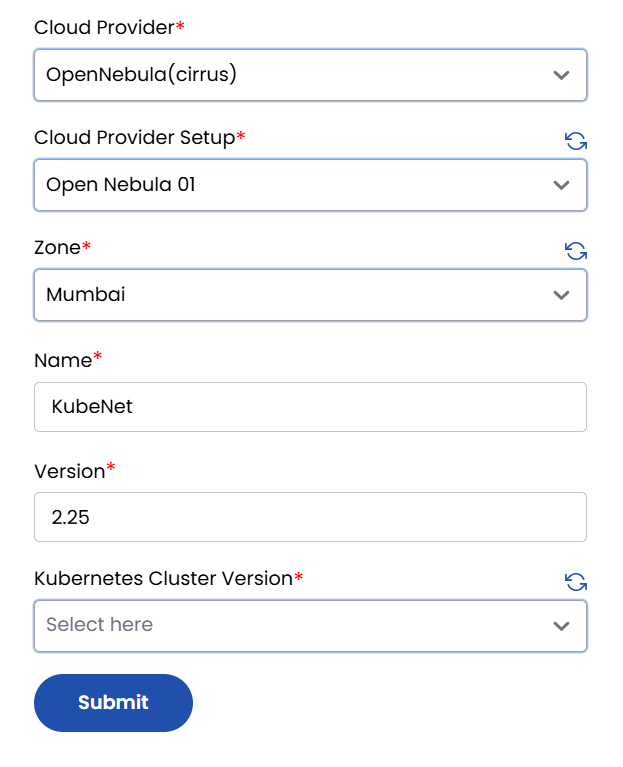
- To add a new Kubernetes version, click on Add Version.

- Cloud Provider: Select the cloud provider.
- Cloud Provider Setup: Choose the pre-configured cloud provider setup.
- Zone: Select the availability zone where the version will be deployed.
- Name: Enter a label or name for this version configuration.
- Version: Specify the Kubernetes version (e.g.,
1.27.3). - Kubernetes Cluster Version: Select the Kubernetes version from the available list (if applicable).
note
Ensure that the selected version is supported by your cloud provider and is compatible with your cluster setup.
- Click on Submit to save the configuration and make this version available for future Kubernetes cluster deployments.